
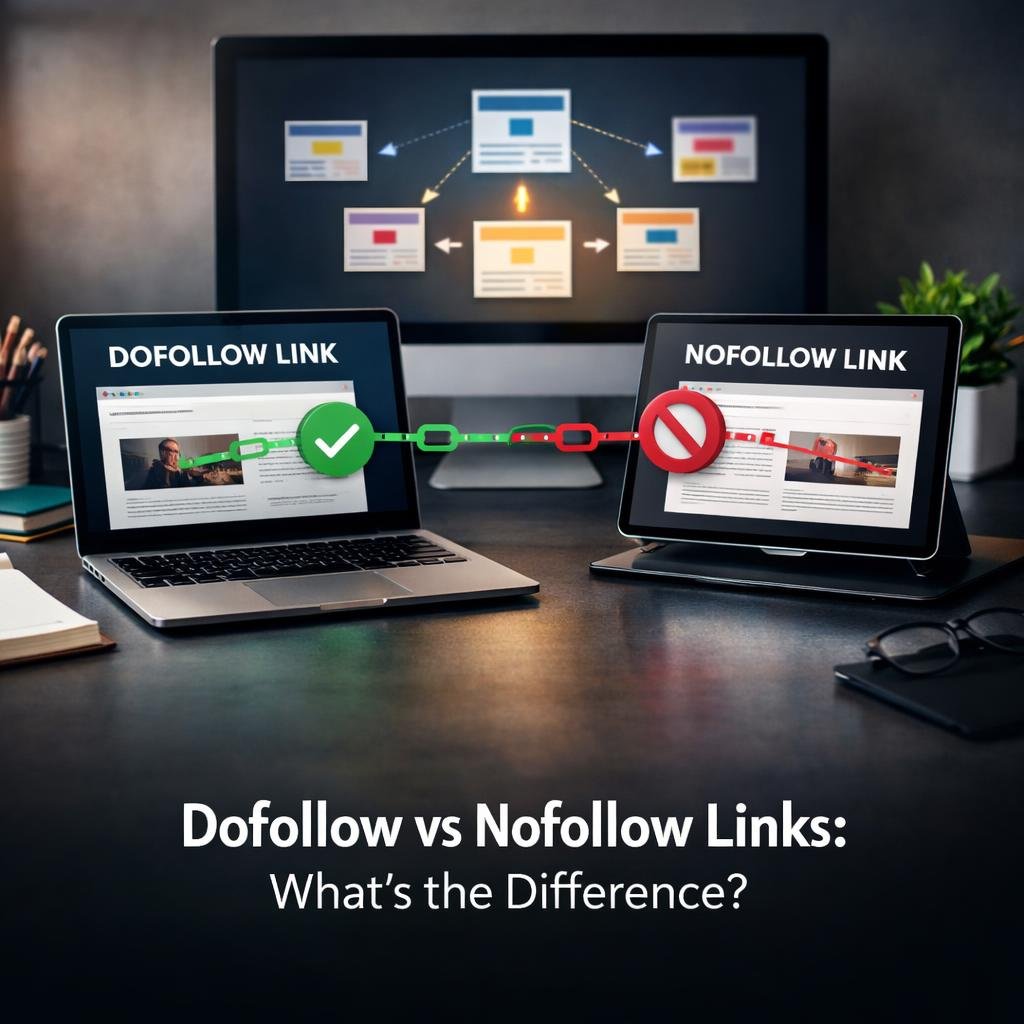
If you have ever looked at the HTML behind a webpage or used an SEO tool to audit your backlinks, you have probably seen the terms “dofollow” and “nofollow” thrown around. These two link types sit at the heart of how search engines like Google evaluate, crawl, and assign value to the connections between websites. Understanding the difference between them is not just a technical detail — it directly shapes your search engine ranking, your domain authority, and the overall effectiveness of your link building strategy.
Most website owners focus on getting more backlinks without stopping to ask what kind of backlinks they are actually earning. A link from a high-authority publication sounds impressive, but if it carries a nofollow attribute, it passes no link equity to your site. That does not make it worthless, but it does change how you should think about it strategically. Knowing which link type to use, when to use it, and how to check what you already have gives you a real edge in SEO.
This guide breaks down everything you need to know about dofollow and nofollow links — from the HTML attributes that define them to the practical scenarios where each one belongs. Whether you are managing a blog, running an e-commerce site, or building a content strategy, this is the foundation you need to make smarter decisions about your backlink profile.
Do-Follow vs. No-Follow Links: Core Differences
What do-follow and no-follow links are
A dofollow link is the default state of any hyperlink on the web. When you link to another page without adding any special attribute, search engines treat it as a vote of confidence. That link tells Google and other search engines, “I trust this page enough to point my audience toward it.” In return, the linked page receives a portion of your site’s PageRank, which contributes to its ability to rank in search results.
A nofollow link, on the other hand, includes a specific rel attribute in its HTML that instructs search engines not to pass link equity to the destination. It was originally introduced by Google as a way to combat spam links in blog comments and user-generated content. The nofollow tag essentially tells crawlers, “Follow this link if you want, but do not count it as an endorsement.”
The key distinction is simple: dofollow links pass authority, nofollow links do not — at least not directly. Both types can drive referral traffic, but only dofollow links contribute meaningfully to PageRank and search engine ranking signals.
| Feature | Dofollow Link | Nofollow Link |
|---|---|---|
| Passes link juice | Yes | No |
| Influences PageRank | Yes | No (treated as a hint) |
| Drives referral traffic | Yes | Yes |
| Crawled by Google | Yes | Sometimes |
| Default link type | Yes | No |
| Required HTML attribute | None | rel=”nofollow” |
HTML attributes and how search engines interpret each link type
In HTML, a standard dofollow link looks like this: <a href=”https://example.com”>anchor text</a>. There is no extra attribute needed. Search engines read this as a clean, endorsing hyperlink and factor it into their indexing and ranking calculations.
A nofollow link adds the rel attribute: <a href=”https://example.com” rel=”nofollow”>anchor text</a>. Google treats this as a hint rather than a hard directive, meaning it may still crawl the linked page but will not pass PageRank through it. This distinction matters because it means nofollow links are not completely invisible to search engines.
Google also introduced two additional rel attribute values — rel=”sponsored” for paid placements and rel=”ugc” for user-generated content. These give webmasters more precision when labeling external links, and Google uses them to better understand the nature of the link relationship.
Differences in link equity, crawling, indexing, and referral traffic
Link equity — sometimes called link juice — is the value passed from one page to another through a dofollow link. When a high-authority site links to your content with a dofollow link, it shares a portion of its domain authority with you. This is one of the most powerful signals in SEO and directly influences how well your pages rank for competitive keywords.
Nofollow links do not transfer this equity in the traditional sense. However, they still have value in other ways. A nofollow link from a major news site or social media platform can send significant referral traffic to your site, expose your brand to new audiences, and contribute to a natural-looking backlink profile. If you are curious about how many backlinks your site actually needs to rank, the type of those links matters just as much as the quantity.
Crawling and indexing are also affected differently. Search engines will generally follow dofollow links to discover and index new pages. With nofollow links, crawlers may or may not follow them, and the destination page may not receive the same indexing priority.
Feature-by-Feature Comparison and SEO Impact
Ranking signals, authority transfer, and link discovery
Dofollow backlinks are among the strongest ranking signals available in SEO. When reputable websites link to your content without a nofollow tag, Google interprets those links as editorial endorsements. This boosts your domain authority, improves your trust flow, and increases the likelihood that your pages will appear higher in organic search results.
Authority transfer works on a cumulative basis. Each dofollow link you earn from a credible external source adds to your site’s overall authority. Over time, this compounds — pages with strong backlink profiles tend to rank more consistently and recover faster from algorithm updates.
Link discovery is another practical benefit of dofollow links. When Googlebot crawls a page and finds a dofollow link pointing to your site, it follows that link and indexes your content. This is especially useful for newer pages that have not yet been submitted to Google Search Console.
Sponsored, user-generated, and untrusted links
Google expects webmasters to label certain types of links accurately. Sponsored links — those that exist because of a paid arrangement — should carry the rel=”sponsored” attribute. This includes affiliate links, paid guest posts, and any link that was placed in exchange for money, products, or services.
User-generated content links, such as those left in blog comments or forum posts, should use rel=”ugc”. This helps Google understand that the site owner did not personally endorse the linked content. Spam links — low-quality, manipulative links designed to game search rankings — are a serious risk. If your site accumulates too many of these, it can trigger a Google penalty.
Using the correct rel attribute is not just about following Google’s guidelines — it protects your site’s reputation and keeps your backlink profile clean. Misusing or ignoring these attributes can lead to trust flow erosion and ranking drops.
Advantages, limitations, and risks of each link type
Dofollow links offer the clearest SEO benefits. They pass PageRank, build domain authority, and contribute directly to search engine ranking improvements. The main risk is that low-quality or manipulative dofollow links can harm your site if Google identifies them as part of a link scheme.
Nofollow links have their own advantages. They diversify your backlink profile, drive referral traffic, and signal to search engines that your link acquisition looks natural rather than manufactured. A profile made up entirely of dofollow links can actually appear suspicious.
- Dofollow links boost PageRank and domain authority directly
- Nofollow links contribute to a natural, diverse backlink profile
- Sponsored and ugc attributes protect against manual penalties
- Over-reliance on either type creates an unbalanced profile
- Low-quality dofollow links carry more risk than low-quality nofollow links
When to Use Each Link Type: Practical Scenarios
Editorial backlinks, internal links, and trusted recommendations
Editorial backlinks are the gold standard in SEO. These are dofollow links that other websites give you because your content genuinely deserves to be referenced. They are earned, not bought, and they carry the most weight with search engines. If you are building a content strategy focused on ethical, sustainable link building, editorial backlinks should be your primary target.
Internal links — the links you place within your own website — should almost always be dofollow. These links help search engines understand your site structure, distribute link equity across your pages, and guide users to related content. Nofollow internal links are rarely appropriate and can actually prevent important pages from being crawled and indexed properly.
Trusted recommendations, such as linking to a partner organization or a resource you genuinely endorse, should also be dofollow. These links signal to search engines that you are part of a trustworthy network of related content.
Paid placements, affiliate links, advertisements, and partnerships
Any link that exists because of a financial transaction must be labeled appropriately. Google is explicit about this: paid links that pass PageRank violate its guidelines. Using rel=”sponsored” on affiliate links, banner ad links, and paid guest post links keeps you compliant and protects your site from penalties.
Affiliate links deserve special attention. Many affiliate programs generate large volumes of outbound links, and if those links are dofollow, they can dilute your site’s link equity and raise red flags with Google. Marking them as sponsored or nofollow is the correct approach.
Partnerships and co-marketing arrangements can be trickier. If a link exists purely as a business arrangement rather than an editorial choice, it should be nofollow or sponsored. If it is a genuine recommendation that happens to involve a business relationship, use your judgment — but err on the side of transparency.
Blog comments, forums, reviews, and other user-generated content
User-generated content is one of the most common sources of nofollow links on the web. Blog comments, forum posts, and review platforms typically apply nofollow or ugc attributes automatically to any links users submit. This was Google’s original motivation for creating the nofollow attribute — to prevent comment spam from manipulating search rankings.
If you run a website that allows user-generated content, you should ensure that any links submitted by users carry the rel=”ugc” attribute. This protects your site from being associated with spam links and keeps your outbound link profile clean.
From a link building perspective, leaving comments or participating in forums purely to drop links is a low-value tactic. These links rarely pass authority and can damage your reputation if done aggressively. Focus instead on genuine participation that builds relationships and drives real referral traffic.
How to build a balanced and natural backlink profile
A healthy backlink profile contains a mix of dofollow and nofollow links from a variety of sources. If every single link pointing to your site is dofollow and comes from guest posts, that pattern looks unnatural to Google. Real websites earn links from news articles, social media, directories, forums, and editorial mentions — and many of those will be nofollow.
Aim for diversity in your anchor text as well. Over-optimized anchor text — where every dofollow link uses the exact same keyword phrase — is a red flag. Natural link profiles include branded anchors, partial match phrases, generic terms like “click here,” and naked URLs.
- Mix dofollow editorial links with nofollow mentions and citations
- Vary your anchor text across all backlinks
- Earn links from multiple domains and content types
- Avoid link schemes that produce large volumes of identical links
- Monitor your backlink profile regularly using SEO tools
How to Check and Implement Do-Follow and No-Follow Links
Identifying link attributes in source code and SEO tools
Checking whether a link is dofollow or nofollow is straightforward. Right-click on any link in your browser and select “Inspect” or “View Page Source.” Look for the anchor tag associated with that link. If you see rel=”nofollow”, rel=”sponsored”, or rel=”ugc” in the tag, it is a nofollow-type link. If there is no rel attribute, it is dofollow by default.
SEO tools like Ahrefs, Semrush, and Moz make this process much faster at scale. These platforms allow you to audit your entire backlink profile, filter by link type, and identify which of your backlinks are passing link equity. This is essential for understanding the true strength of your link building efforts.
Browser extensions like MozBar or similar tools can also highlight dofollow and nofollow links directly on any webpage, which is useful for quick competitive research.
Choosing between rel=”nofollow”, rel=”sponsored”, and rel=”ugc”
Google introduced the sponsored and ugc attributes to give webmasters more precision. Here is how to choose between them:
- Use rel=”nofollow” for links you do not want to endorse but that do not fit the sponsored or ugc categories
- Use rel=”sponsored” for any link connected to a paid arrangement, including affiliate links and advertisements
- Use rel=”ugc” for links within comments, forum posts, or any content submitted by users
- You can combine attributes, such as rel=”nofollow sponsored”, for additional clarity
Getting this right matters more than most people realize. Incorrect labeling can lead to Google treating paid links as editorial endorsements, which violates its guidelines and risks a manual penalty.
Common implementation mistakes and corrective steps
One of the most frequent mistakes is applying nofollow to internal links. This can accidentally block search engines from crawling important pages on your own site. Audit your internal links regularly to ensure they are all dofollow unless there is a specific reason to restrict crawling.
Another common error is forgetting to add the sponsored attribute to affiliate links. Many website owners use plugins or manually insert affiliate links without realizing they are passing PageRank to commercial partners, which violates Google’s policies.
If you discover that your site has accumulated toxic or spammy dofollow backlinks, use Google’s Disavow Tool to signal that you do not endorse those links. This is a corrective measure, not a routine practice — use it only when you have clear evidence of harmful links that you cannot remove manually.
Conclusion
Understanding the difference between dofollow and nofollow links gives you real control over your SEO strategy. Dofollow links build authority and drive ranking improvements. Nofollow links support a natural backlink profile, drive referral traffic, and keep you compliant with Google’s guidelines when used correctly on paid and user-generated content.
The smartest approach is not to chase one type exclusively but to build a diverse, high-quality backlink profile that reflects genuine editorial trust. Use the right rel attributes, audit your links regularly, and focus on earning links that your audience and search engines will both value.
FAQ
Do no-follow links help SEO?
Nofollow links do not pass PageRank directly, but they still contribute to SEO in indirect ways. They drive referral traffic, diversify your backlink profile, and help your link acquisition look natural to search engines. A profile with only dofollow links can appear manipulative, so nofollow links play an important balancing role.
Should paid and affiliate links be no-follow?
Yes. Google requires that any link connected to a paid arrangement — including affiliate links, sponsored posts, and advertisements — carry either rel=”nofollow” or rel=”sponsored”. Failing to do this can result in a manual penalty. Using the correct attribute protects your site and keeps you compliant with Google’s webmaster guidelines.
How can I tell whether a link is do-follow or no-follow?
You can check by inspecting the page source code directly in your browser. Right-click the link, select “Inspect,” and look for a rel attribute in the anchor tag. Alternatively, use an SEO tool like Ahrefs or Semrush to audit your backlink profile and filter links by type. Browser extensions can also highlight link types visually as you browse any webpage.